
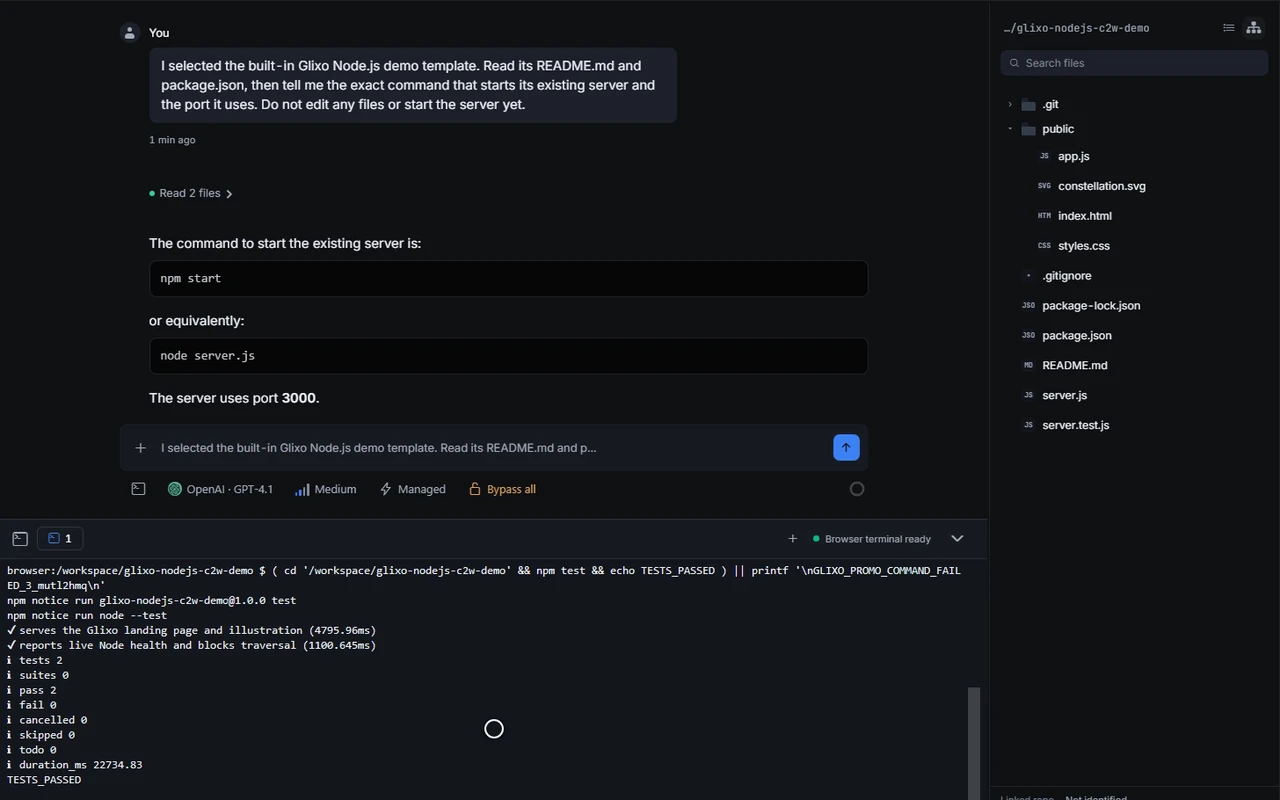
Zero-install browser coding
Run a Linux-like sandbox in the browser — terminal, files, git, and app preview. First use downloads the WASM Linux image.
 Glixo Code · See it work
Real product captures from the desktop app, browser workspace, and cross-device flows.
Run a Linux-like sandbox in the browser — terminal, files, git, and app preview. First use downloads the WASM Linux image.

Start on desktop, monitor from phone, return to the same agent session — messages, stream state, and permissions stay in sync.
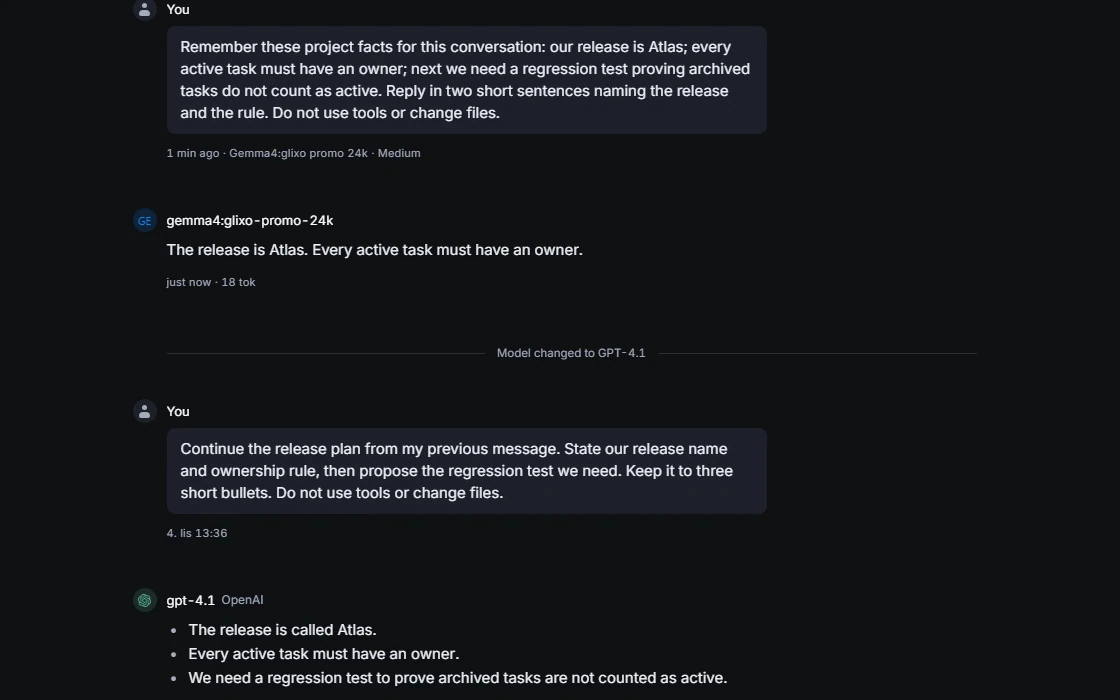
Switch OpenAI OAuth, API keys, Anthropic, Ollama, or your own compatible endpoint per task.

/loop, /goal, and /subagent drive multi-step runs instead of stopping after one reply.

Save a point before a risky edit. Review the changes, then restore the saved version if you need to undo them.
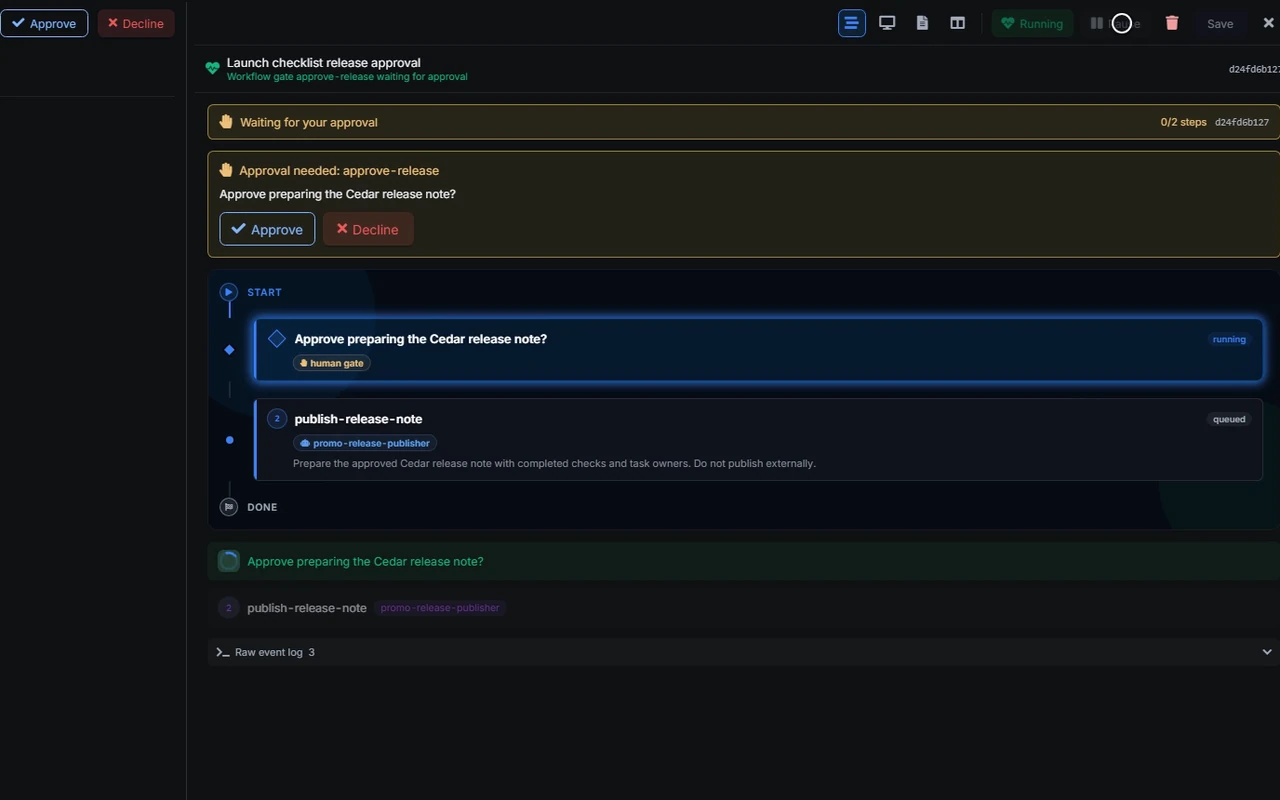
Glixo Flow is in suite development; this preview is unavailable in the current stable Glixo Code release.

A supervisor delegates to specialized agents, coordinates plans, and recovers from stalls.
Choose your native desktop build, use the complete browser workspace, or join Android closed testing through Google Play.
Code without installing a daemon — terminal, git, and preview in a cached WASM Linux environment.
Connect a machine and let agents read files, edit code, run commands, and inspect diffs in the actual workspace.
Container-based execution is in development. For current project work, choose the browser workspace or a connected machine.
Preview — not yet a general release option.
Reads your repo, edits files, runs commands, and checks results — not copy-paste suggestions.
Sessions, messages, stream state, permissions, and machine status follow you across phone, web, and desktop.
Encrypted session history and checkpoints let you pick up elsewhere — not live process migration when a target dies.
Anthropic API key, OpenAI API key, OpenAI OAuth, and Ollama built in; CLIProxy and OpenAI-compatible endpoints installable.
Ollama for private or cheap tasks; cloud models when you need stronger reasoning.
Add adapters, manifests, secrets, and model discovery through the extension system.
Save conventions, decisions, and environment notes — retrieve them in later sessions and workflows.
Multiple agents reason together in a shared thread over one coding task.
A manager agent delegates to specialists, coordinates plans, and recovers from stalls.
Glixo Flow is in suite development; this preview is unavailable in the current stable Glixo Code release.
Extension-contributed tools and MCP integrations for GitLab, Playwright, search, and more.
Set a standing task with /goal, repeat a prompt for a chosen number of rounds with /loop, or ask a /subagent to help with focused work.
Pick a supported model in the composer and switch when you need a different approach. Keep the conversation and project tools in the same session.
Available models and reasoning controls depend on your connected provider.